
SLB FrontDesk Chat
Answer every visitor question. Even at 2am.
A lightweight chat widget for WordPress, trained on the FAQs your visitors actually ask. No monthly fees. No live chat staffing. No AI required to get started.
The Problem
Every small business faces this
Visitors bounce after hours
They hit your site at 11pm with a question and leave when no one responds. That’s a lead gone before the day even starts.
Live chat is expensive overhead
A staffed chat requires agents, schedules, and monthly SaaS fees most small businesses can’t justify for the return.
Generic bots frustrate visitors
Tools trained on nothing relevant to your business give useless answers and destroy trust faster than no chat at all.
How It Works
Live in under 15 minutes
Install
Find “SLB FrontDesk Chat” on WordPress.org and activate it in one click. No account, no API key required to get started.
Add Your FAQs
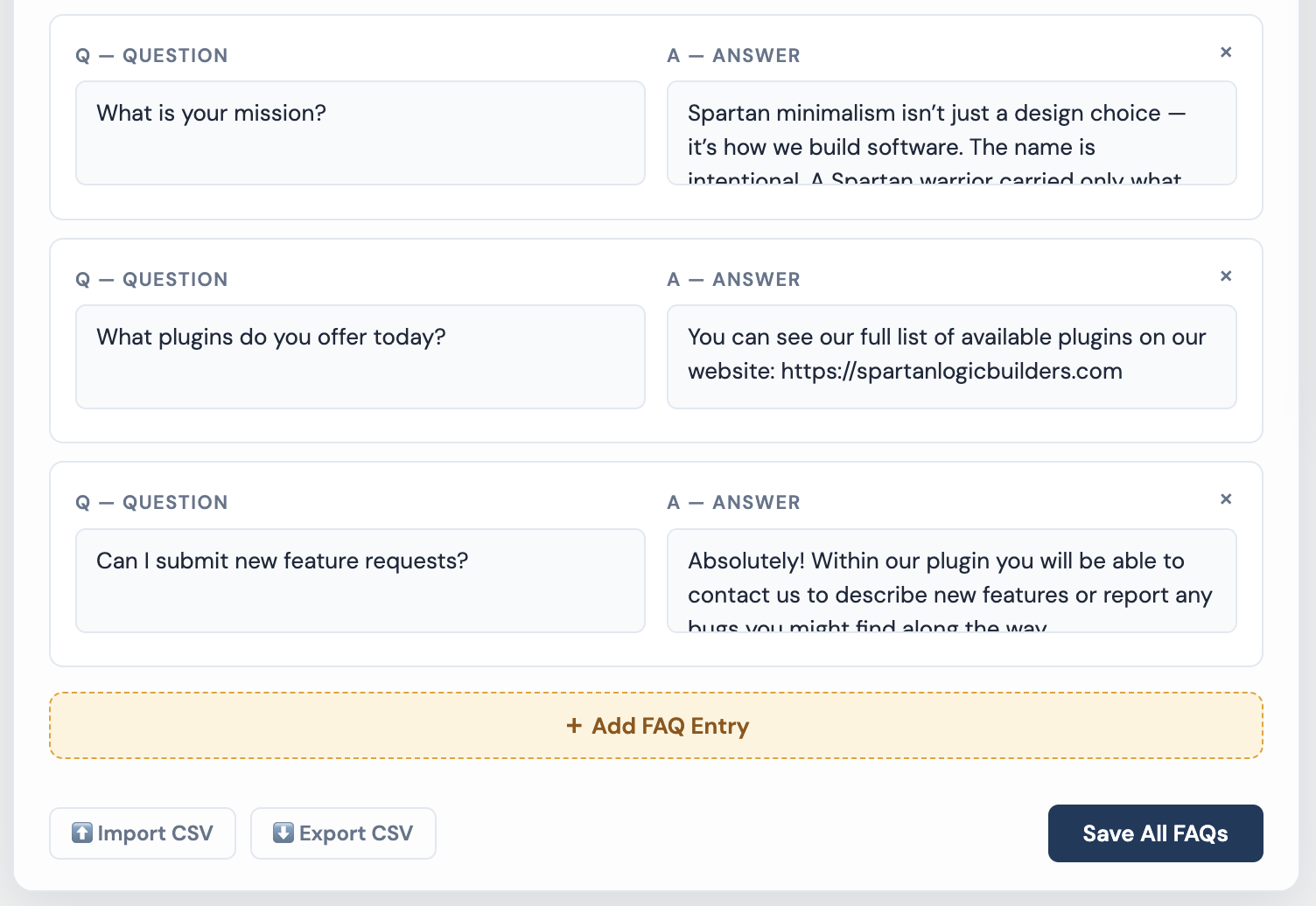
Type in the questions your visitors ask most, or import a CSV if you already have a list. That’s your chatbot’s training content — done.
Go Live
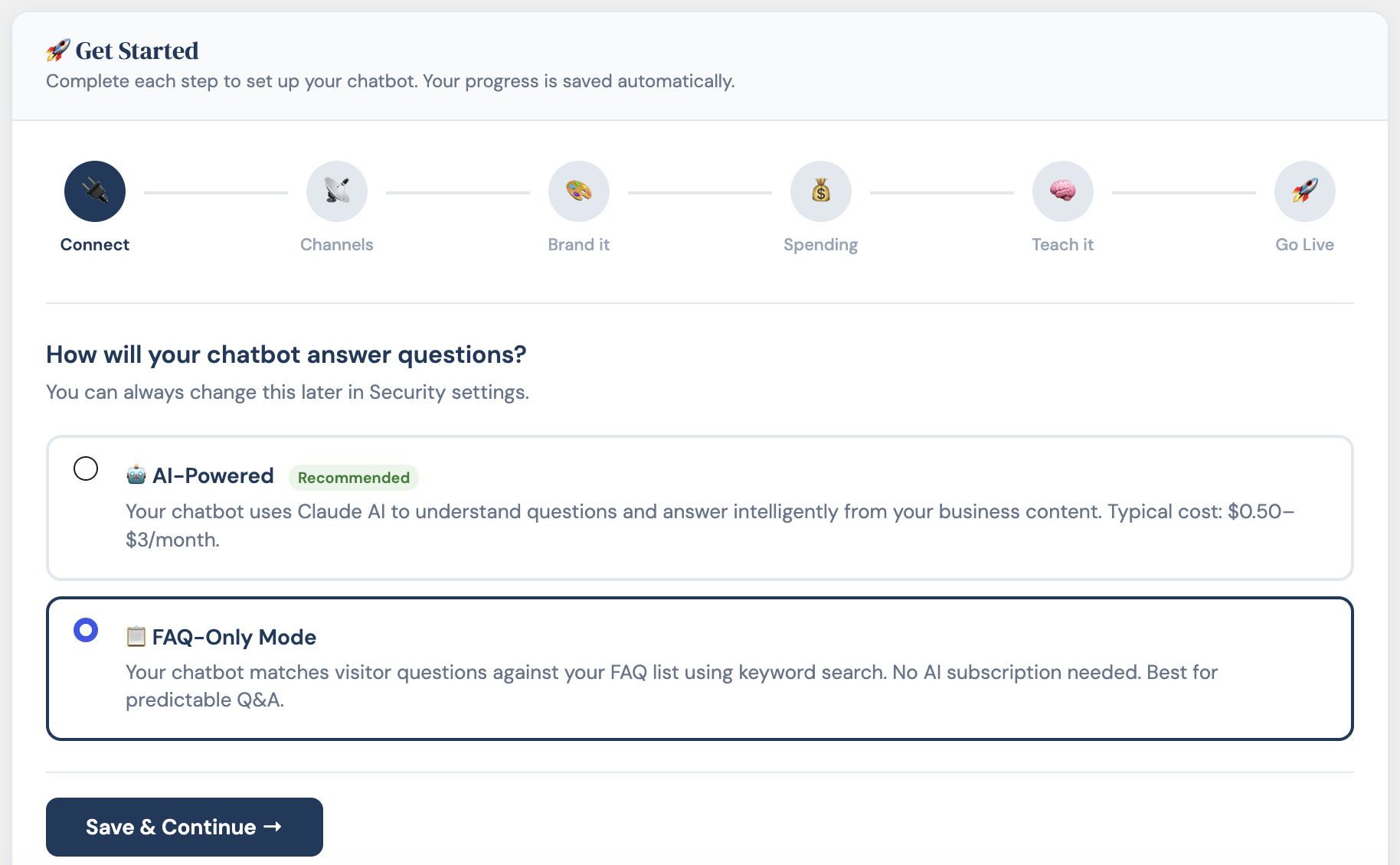
The setup wizard walks you through configuration. KB-only mode works standalone — add an AI key when you’re ready to go further.
Features
Everything you need, nothing you don’t
FAQ Manager
Add questions one at a time or import a CSV. Up to 50 entries. The chatbot matches visitor questions by keyword and exact-match scoring.
KB-Only Mode
Answers entirely from your FAQ list — no AI key, no third-party requests, no API cost. Fast, private, and always on.
Optional AI Mode
Add an Anthropic API key when you’re ready. The chatbot routes unanswered questions to Claude, using your FAQ content as context.
Cost Caps
Set monthly spend limits on AI usage. When the cap is reached, the chatbot falls back to your configured message — visitors never see an error.
Customizable Widget
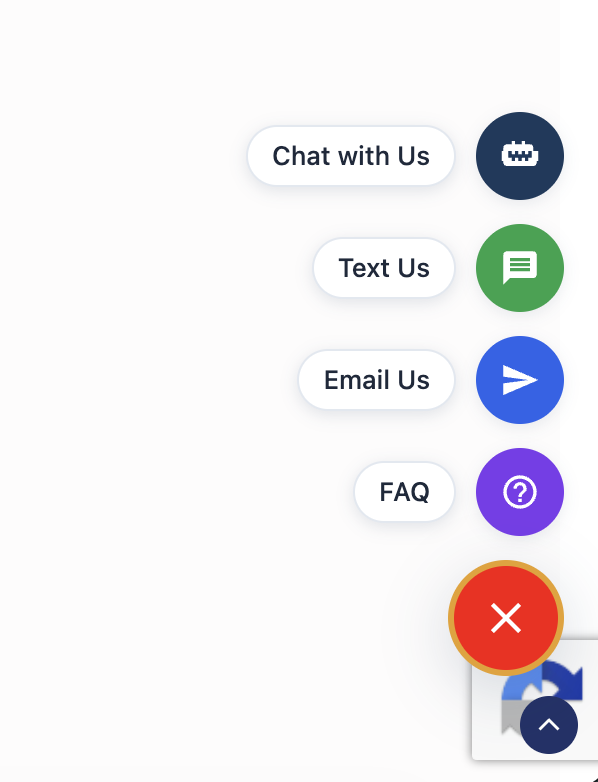
Match your brand color, set a custom icon, choose the launcher position. Four contact channels in one floating button — Chat, SMS, Email, FAQ.
Privacy First
All chat logs stay on your server. Nothing leaves your site unless you explicitly enable AI mode. No telemetry. No tracking.
The Widget
Four ways to reach you. One button.
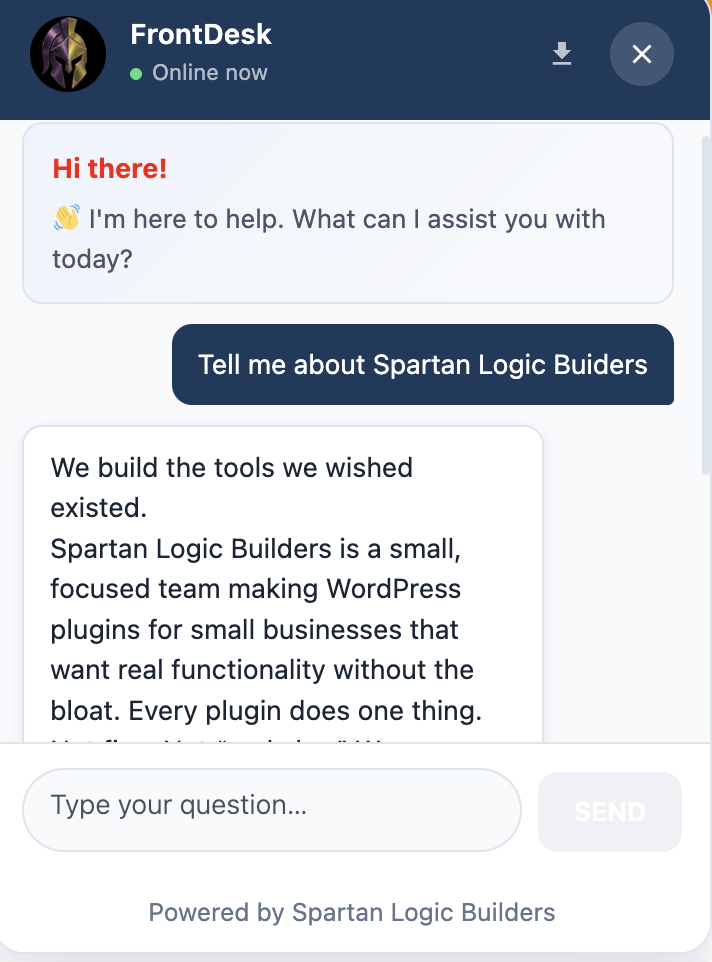
The floating action button gives visitors Chat, Text Us, Email Us, and FAQ in a single touchpoint. Customize the color, icon, and position to match your site.
Add AI When You’re Ready
Works Without AI. Seriously.
Most visitor questions are predictable. A well-maintained FAQ list handles them without AI — no latency, no API cost, no external dependency.
When visitors ask something outside your FAQ list, KB-only mode returns your configured fallback message. For most small businesses, that’s enough.
When you’re ready to go further, connect an Anthropic API key. The chatbot routes unanswered questions to Claude, using your FAQ content as context. Most sites spend under $5/month.
Training Content
Build your FAQ list in minutes.
Add questions one at a time, or import a CSV if you already have a list. A downloadable template is available in the plugin. Edit, delete, and reorder at any time.
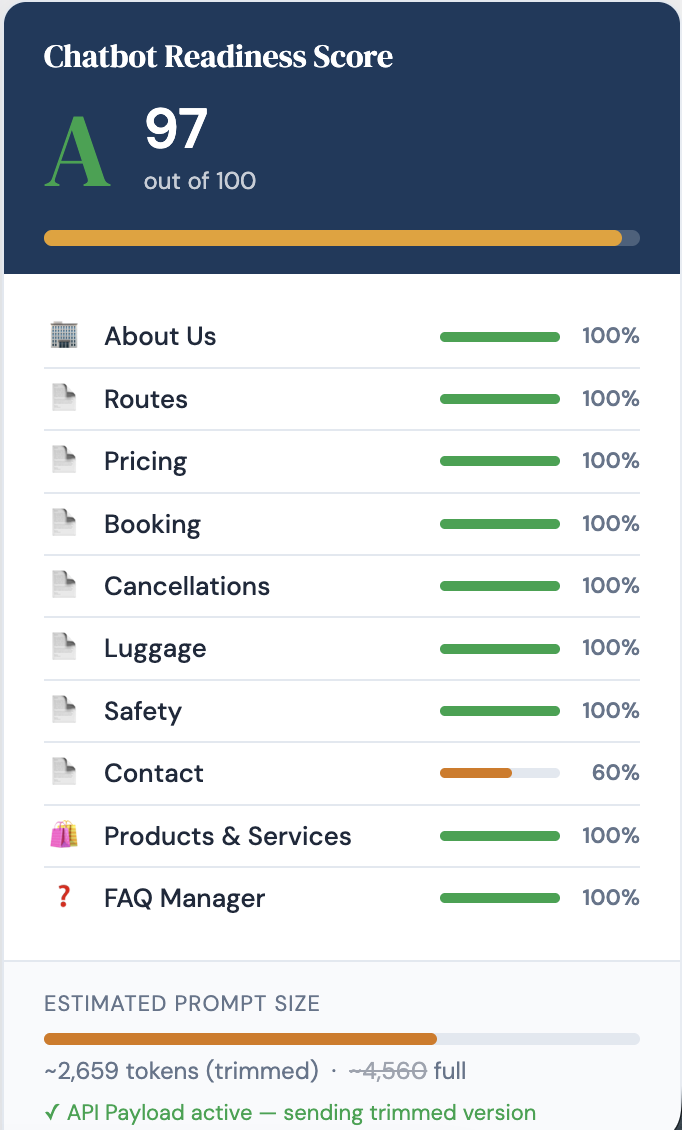
The readiness score shows you how complete your training is before you go live.
Before You Go Live
Know your chatbot is ready before your visitors do.
The readiness score evaluates your FAQ content and tells you how complete your training is — and where to add more detail before you flip the switch.
Free Tier — Forever
Start without a credit card.
The free tier is fully functional, not a time-limited trial. Build your FAQ list, deploy your widget, and serve visitors — all at zero cost.
Get FrontDesk Chat Free →- FAQ manager — up to 50 entries, CSV import
- KB-only mode — no AI or API key required
- Floating action button — Chat, SMS, Email, FAQ
- Optional AI mode with monthly cost caps
- Readiness score and weekly email reports
- Training data export and import (JSON)
Compare Tiers
Start free. Upgrade when you need more.
| Feature | Free | Pro |
|---|---|---|
| Chat Widget | ||
| Floating action button — Chat, SMS, Email, FAQ | ✓ | ✓ |
| Single brand color | ✓ | ✓ |
| Custom widget icon | ✓ | ✓ |
| Page exclusion list | ✓ | ✓ |
| Full widget colour palette (header, bubbles, text) | — | ✓ |
| Custom CSS overrides | — | ✓ |
| Schedule-based availability (hours, days, months) | Toggle only | ✓ |
| Knowledge Base & Training | ||
| FAQ manager (up to 50 entries, CSV import) | ✓ | ✓ |
| Training readiness score | ✓ | ✓ |
| Training data export & import (JSON) | ✓ | ✓ |
| Visual knowledge base editor (sections) | — | ✓ |
| Add / delete / reorder custom sections | — | ✓ |
| AI knowledge base review | — | ✓ |
| API Payload Optimizer (up to 70% token reduction) | — | ✓ |
| AI & Cost Control | ||
| KB-only mode (no AI required) | ✓ | ✓ |
| Optional AI mode (Anthropic API key) | Haiku only | ✓ |
| Monthly cost caps and email alerts | ✓ | ✓ |
| AI model selection (Haiku / Sonnet / Opus) | — | ✓ |
| Per-session rate limiting | — | ✓ |
| Reporting | ||
| Chat log and conversation tracking | ✓ | ✓ |
| Email reports | Weekly only | ✓ |
| Google Sheets daily sync | — | ✓ |
| White-label (remove SLB attribution) | — | ✓ |
FrontDesk AI Chat Pro
Pro adds the visual knowledge base editor, API Payload Optimizer, schedule-based availability, Google Sheets sync, and white-label — for businesses that need more control and deeper customization.
- ✓ Visual knowledge base editor
- ✓ Add / delete / reorder sections
- ✓ API Payload Optimizer (70% reduction)
- ✓ AI model selector — Haiku / Sonnet / Opus
- ✓ Schedule-based availability
- ✓ Full widget colour palette
- ✓ Google Sheets daily sync
- ✓ Per-session rate limiting
- ✓ Google reCAPTCHA v3
- ✓ White-label
Your data stays on your site.
All visitor chat logs are stored locally in your WordPress database. Nothing is shared with anyone by default.
The only outbound connection is to the Anthropic API — and only if you choose to enable AI features. Even then, only the visitor’s message and your FAQ content are transmitted. No personal data beyond what the visitor types in the chat.
No telemetry. No analytics. No usage data sent anywhere. Read the Privacy Policy →